Have you ever lost a brilliant idea because you could not find a pen? Many people feel deep frustration when their technology fails at the wrong time. You might struggle with quiet recordings that sound like muffled whispers. It is upsetting to record an hour of a lecture only to find a dead battery. Perhaps you feel confused when your computer refuses to see your device. I understand how stressful it feels to lose important information. This guide will help you master your voice recorder with total ease. We will turn your tech fears into simple wins with expert steps.
Meet Your New Pocket Secret for Success
The onnrec01 is a small but powerful tool for your daily life. It is much more than just a basic plastic box. This device captures sound and turns it into digital files you can keep. Many people prefer it over a phone because it has no distractions. You will not get interrupted by text messages while recording. It fits perfectly in a small pocket or a desk drawer. Using this tool helps you stay present in the moment. You can focus on the speaker instead of taking messy notes.
How to Get Crystal Clear Audio Every Time
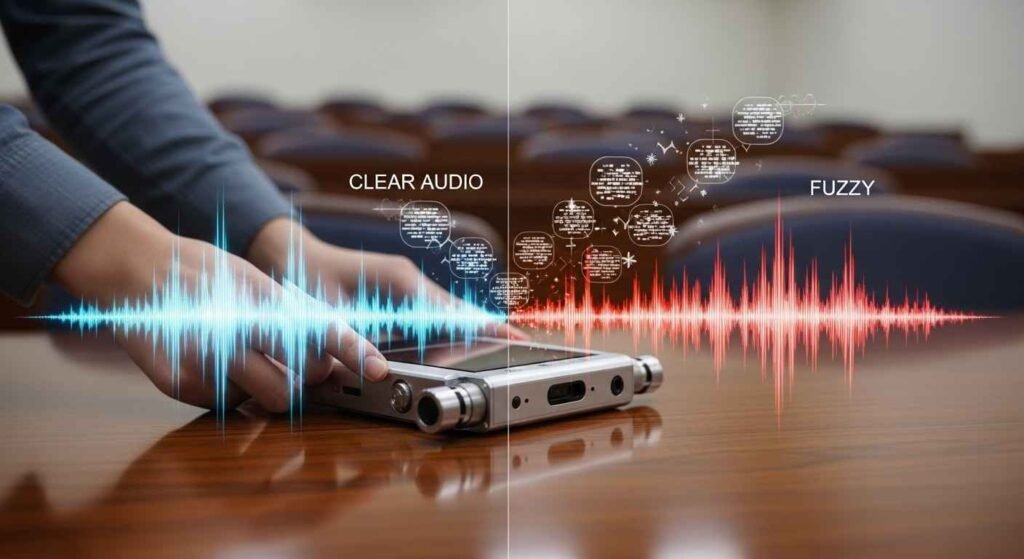
Bad sound quality is a common hurdle for many new users. You might hear too much background noise or fuzzy static. This usually happens because the microphone is too far away. Place the device on a steady surface like a wooden table. Do not hold it in your hand if you can avoid it. Moving your fingers on the case creates loud rubbing sounds. Point the top of the recorder toward the person talking. This small change makes the voice sound rich and very clear. You will finally hear every word without any annoying strain.
Move Your Recordings to a Computer Without Stress
Connecting your device to a computer should not feel like a puzzle. The onnrec01 has a built-in USB plug that makes life easy. You never have to worry about losing a specific charging cable. Simply slide the USB tip out and push it into your laptop. Most computers will treat the recorder like a simple USB drive. A new window should pop up on your screen automatically. Look for a folder labeled “RECORD” or “VOICE” inside that drive. You can then drag those files onto your desktop for safety. This ensures your memories are backed up and ready to use.
Smart Ways to Save Your Battery Life
A dead battery in the middle of a meeting is a nightmare. You can avoid this fear by learning how the power works. This device uses very little energy when it is recording properly. However, leaving the screen light on can drain the battery fast. Go into your settings and set the screen to turn off quickly. Always check the battery icon before you leave your home. If you are not using the tool, slide the switch to the “OFF” position. This simple habit keeps your device ready for your next big idea. You will never have to worry about a silent recorder again.
Using Folders to Keep Your Life Organized
Finding one file among fifty others can be a huge headache. The onnrec01 labels your files with numbers like “REC001” and “REC002.” This can get very confusing after a few days of work. I suggest moving your files to your computer every single night. Once they are on your computer, rename them with helpful titles. You could name a file “Monday Science Class” or “Grocery List.” Create different folders for your school, work, and personal hobbies. This keeps your digital space tidy and saves you a lot of time. You will feel much more organized and in total control.
Better Performance in Large or Noisy Rooms
Recording in a big hall often leads to echoes and hollow sounds. This happens because sound waves bounce off hard walls and ceilings. To fix this, try to sit near the center of the room. If there are curtains or carpets, stay close to those soft areas. Soft materials soak up extra noise and make the voice clearer. You can also adjust the recording sensitivity in the main menu. Set it to “High” for distant voices and “Low” for close talk. This allows the device to listen exactly the way you want it to. Your audio will sound professional even in a busy environment.
The Secret of Voice Activated Recording
Many users do not know about the voice activation feature. This setting tells the device to record only when it hears a voice. It will automatically pause during long periods of silent waiting. This is a great way to save space on your internal memory. You won’t have to listen to minutes of silence during playback later. It makes your editing job much faster and more enjoyable. Look for the “VOR” setting in your device menu to turn it on. This smart feature helps you capture only the most important moments.
How to Check Your Remaining Memory Space
It is scary to think your device might stop recording because it is full. The onnrec01 usually comes with plenty of space for many hours. However, high-quality files take up much more room than small ones. You can check how much space is left by looking at the display. If the number of remaining hours is low, it is time to clean. Delete old recordings that you have already saved to your computer. Keeping your storage empty ensures you are always ready for a surprise. You can go into your day knowing you have room for everything.
Protecting Your Device from Daily Damage
Small electronics can break if they are dropped or get wet. You should treat your recorder like a valuable piece of jewelry. Avoid leaving it in a hot car because heat ruins the battery. Keep it away from your water bottle or spilled coffee. If the screen gets dusty, use a soft cloth to wipe it gently. Do not use harsh chemicals or wet wipes on the plastic. A little bit of care will help your device last for many years. This saves you money and protects your important audio data.
Listening to Your Notes for Faster Learning
This device is not just for recording; it is also for playing. You can listen to your files through the small back speaker. For better sound, plug in a pair of standard wired headphones. Listening to your own notes is a proven way to remember things. Students find this very helpful when studying for a big test. You can hear the tone of the teacher’s voice and the details. It is like being in the classroom all over again from your couch. This makes learning feel natural and much less like hard work.
Fixing a Frozen or Slow Device
Sometimes technology gets stuck and the buttons stop working. This can feel very frustrating when you are in a big hurry. If your recorder freezes, do not try to force the buttons down. Look for a tiny hole on the side or back labeled “RESET.” You can use a small paperclip to press the button inside that hole. This will restart the system without deleting your saved recordings. It is a quick fix that solves almost every software glitch. You will be back to recording your thoughts in just a minute.
Understanding Different Audio File Formats
Your device can save files in formats like WAV or MP3. WAV files are very high quality but take up lots of space. MP3 files are smaller and easier to share with your friends. If you are recording music, choose the high-quality WAV setting. If you are just recording a quick voice memo, MP3 is better. You can change this in the settings menu before you start. Choosing the right format helps you manage your storage like an expert. It ensures your audio sounds exactly how you need it to.
Recording Interviews Like a Professional
Conducting an interview can be a bit nervous for some people. Having a reliable recorder takes away a lot of that pressure. Place the onnrec01 on the table between you and the other person. Make sure it is an equal distance from both of your mouths. This ensures both voices are at the same volume in the file. Tell the person you are recording so they feel comfortable and safe. This builds trust and leads to a much better conversation. You will capture every detail of the story perfectly every time.
How to Set the Correct Date and Time
Many people skip the step of setting the clock on their device. However, having the right date is very helpful for your files. When you move files to a computer, they will show the exact time. This helps you remember exactly when a meeting or class happened. Go to the “Settings” menu and find the “Date and Time” section. Use the arrow buttons to change the numbers to match today. It only takes a minute but saves you hours of confusion later. Your digital library will look professional and be easy to search.
Using an External Microphone for Better Reach
If you are sitting very far away, the built-in mic might struggle. The onnrec01 has a small jack for an external microphone. You can clip a tiny mic to your shirt or place it on a podium. This brings the microphone much closer to the source of the sound. It blocks out the noise of the crowd or the hum of the air unit. This is a great tip for journalists or people in large churches. Your recordings will sound like they were made in a quiet studio. This simple add-on takes your audio quality to a new level.
Recording Phone Calls Safely and Clearly
Recording a phone call can be tricky because of the low volume. You should never hold the recorder up to your phone’s speaker. This usually creates a lot of static and buzzing noise. Instead, put your phone on “Speaker Mode” in a quiet room. Place the onnrec01 about six inches away from the phone. This captures both your voice and the person on the other end. Always ask for permission before you record any phone conversation. This keeps you safe and follows the rules of polite talking.
Improving Your Speaking Skills with Audio
You can use your recorder to become a much better speaker. Record yourself giving a speech or practicing a presentation. Listen back to hear if you talk too fast or say “um” too much. It might feel a bit weird to hear your own voice at first. However, this is the fastest way to improve how you sound to others. You can fix your mistakes and build your confidence for the real thing. This tool helps you grow as a person and a professional.
Why Dedicated Recorders Beat Smartphone Apps
You might wonder why you need this device if you have a phone. Phones are great, but they have many problems for recording. A phone battery dies quickly when using the microphone for hours. An incoming call can stop your recording right in the middle. The onnrec01 is built for one single job, and it does it well. It has a much better microphone than most standard cell phones. Using a separate device keeps your phone free for other important tasks. It is a more reliable way to protect your valuable audio data.
Tips for Recording Music and Small Bands
If you are a musician, this tool is great for practice sessions. You can record your guitar or piano to hear how you play. Be careful not to place the recorder too close to loud speakers. If the sound is too loud, it will “clip” and sound very distorted. Place the device across the room to get a balanced sound. This helps you hear all the different instruments clearly at once. You can track your progress and share your music with your family.
Formatting Your Memory for a Fresh Start
Every few months, it is a good idea to format your recorder. This wipes the memory completely clean and fixes small errors. Make sure you have saved all your important files to a computer first. You cannot get them back once you start the format process. Go to the menu and select “Format” or “Format Device.” This keeps the system running fast and prevents your files from getting corrupted. It is like giving your recorder a fresh bath to keep it healthy.
Making the Most of Your Storage Space
If you run out of room, you do not need to buy a new device. You can lower the “Bitrate” in your settings to save space. A lower bitrate creates smaller files that still sound good for talking. This allows you to fit hundreds of hours of audio on one device. This is perfect for long trips or busy school weeks. You can always change it back to high quality for special events. Learning these settings makes you a master of your technology.
Best Practices for Archiving Your Audio
Once your files are on your computer, you should keep them safe. I recommend using a cloud service or an external hard drive. Digital files can sometimes get lost if a computer breaks down. Give your folders clear names that include the year and month. This makes it easy to find a recording from three years ago. You are building a library of your life and your hard work. Keeping it organized ensures you never lose a single memory.
You May Also Like: Social Media Stuff Embedtree: Why Everyone’s Obsessed
Feel Confident with Your Professional Audio Tool
You have now learned everything you need to be an expert with the onnrec01. You can record clear voices and move files to your computer with ease. The stress of losing your big ideas is finally gone for good. You know how to save your battery and keep your storage organized. Using this device will help you succeed in school, work, and your personal life. Start by taking one small recording of your goals for today. Listen back to it and hear the clarity of your own voice. You are now in total control of your digital world.
FAQs
How can I fix the “No Disk” error?
Turn the device off and then back on. Connect it to a computer to repair the drive. If the error stays, use the format setting. Always back up your files first.
Why does my computer ignore the device?
Make sure the recorder is turned on before plugging it in. Try a different USB port on your laptop. Restarting your computer often fixes this connection issue.
Can I delete files without a computer?
Yes, use the menu buttons on the device. Select a file and find the delete option. Confirm your choice to clear space immediately.
Does it work as a music player?
You can move MP3 files into the music folder. Switch the menu mode to music to listen. Use headphones for the best sound quality while traveling.
What is the best recording distance?
Stay within ten to fifteen feet for the clearest sound. In large rooms, sit in the front row. Close recordings always sound much more professional.
Disclaimer
The information in this article is for general educational purposes only. I provide these tips to help you solve common tech struggles. However, this advice does not replace official support from the manufacturer. Use these suggestions at your own risk. I am not liable for any data loss or device damage that may occur. Please back up your important recordings before changing settings. Always follow local laws when recording others.

Emma Rose is a simple, clear, and helpful writer at Blogtime. She enjoys creating easy-to-read articles on tech, lifestyle, travel, and everyday tips. Emma’s goal is to make learning simple for everyone by explaining ideas in friendly and easy words. When she’s not writing, she loves reading, exploring new places, and finding inspiration in everyday life.