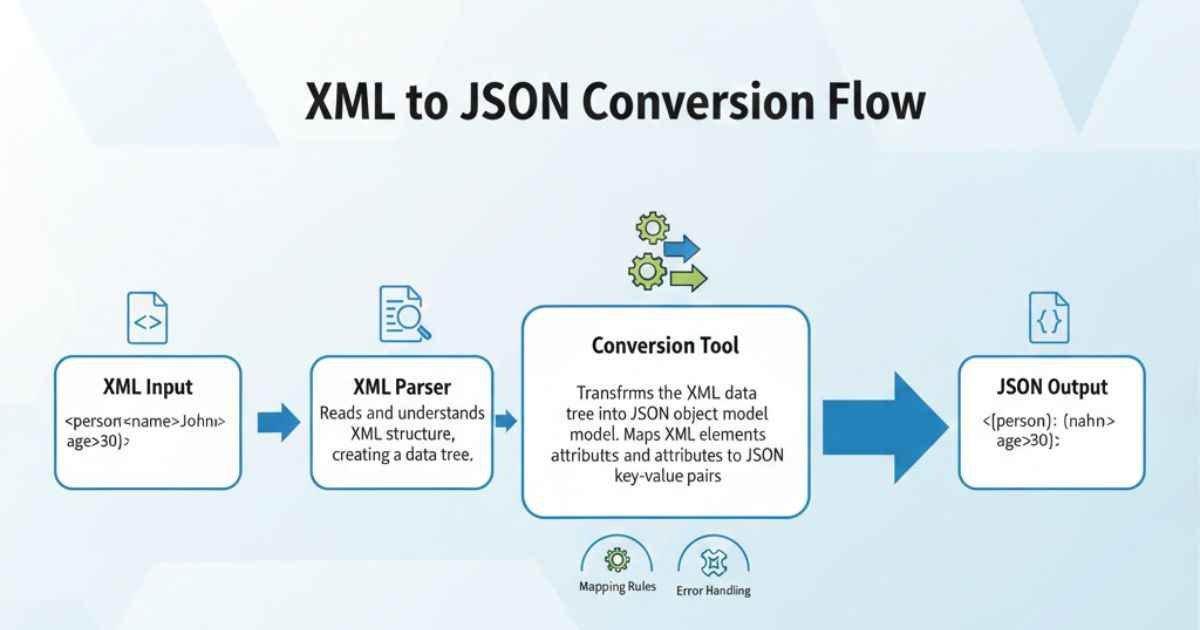
Do you have XML files but want to use them in JSON format? An XML to JSON Converter is the easiest way to do it. Many people who work with websites, apps, or data files need to convert XML to JSON quickly and safely.
XML and JSON are both ways to store and share information. XML is older and more structured, but JSON is easier to read and use with modern apps. With an XML to JSON converter tool, you can turn your XML data into JSON, in seconds, without writing any code.
In this guide, we will explain how an XML to JSON converter works, show step-by-step instructions, and give tips for safe and efficient data conversion.
What is XML?
XML stands for eXtensible Markup Language.
- XML stores data using tags, like
<name>John</name>. - It is very structured and often used in data exchange between systems.
- XML files can be long and complex, which makes them hard to read manually.
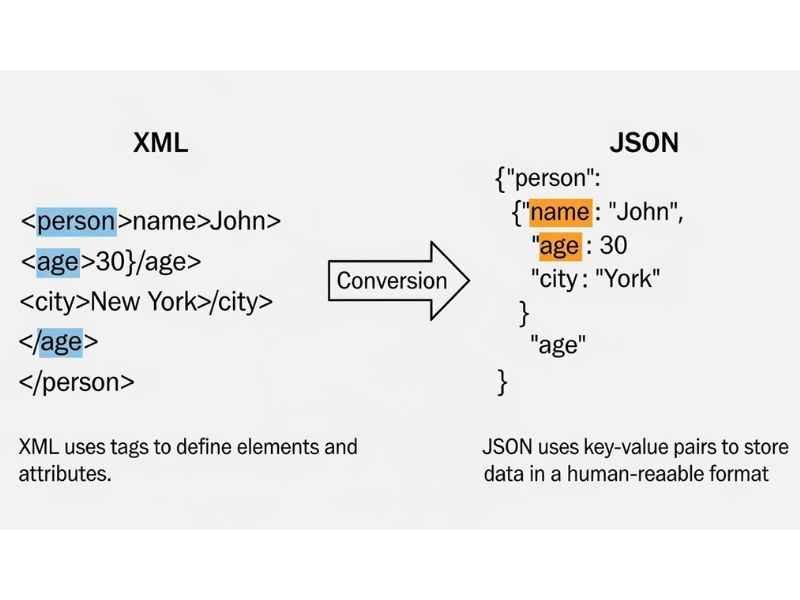
Example of XML:
<person>
  <name>John</name>
  <age>25</age>
  <city>London</city>
</person>
What is JSON?
JSON stands for JavaScript Object Notation.
- JSON is also a way to store and share data.
- It is simpler and easier to read than XML.
- JSON is used widely in websites, APIs, and apps.
Example of JSON:
{
  "person": {
    "name": "John",
    "age": 25,
    "city": "London"
  }
}
Why Convert XML to JSON?
Converting XML to JSON has many benefits:
- Easier to read – JSON is cleaner and simpler.
- Works with modern apps – Most apps, websites, and APIs prefer JSON.
- Faster processing – JSON files are usually smaller than XML files.
- Better for APIs – REST APIs mainly use JSON.
- Compatible with JavaScript – JSON works naturally in web apps and scripts.
Using an XML to JSON converter tool saves time and makes data conversion much easier.
What is an XML to JSON Converter?
An XML to JSON converter is an online tool that changes XML files into JSON automatically.
- You don’t need to code.
- The tool reads your XML, checks for errors, and converts it into JSON format.
- Many converters also format JSON to make it easy to read.
Benefits of an XML to JSON Converter Tool
- Save time with automatic conversion.
- Reduce errors caused by manual conversion.
- Perfect for beginners and experts alike.
- Works for XML data to JSON format conversion instantly.
How to Use an XML to JSON Converter – Step by Step
Here is a simple step-by-step guide for beginners:
Step 1: Get Your XML File
Open your XML file or copy the XML code you want to convert.
Example XML:
<book>
  <title>Learn XML</title>
  <author>Jane Smith</author>
  <year>2025</year>
</book>
Step 2: Open an Online XML Converter
Search for “XML to JSON online” or use a trusted converter website.
Step 3: Paste Your XML
Copy your XML code into the input box of the XML to JSON converter tool.
Step 4: Click Convert
The tool will automatically convert XML into JSON.
Step 5: Copy or Download JSON
Once converted, your JSON will appear in the output box. You can copy it directly or download it as a file.
Tips for Using an XML to JSON Converter
- Check XML first – Ensure all tags are closed and valid.
- Use a trusted tool – Prefer tools that don’t upload your files online.
- Format JSON – Most converters provide JSON formatting options to make it readable.
- Validate JSON – Ensure the JSON works correctly with your app or website.
- Large files – For big XML files, choose a converter that supports large data conversion.
Common Issues and How to Fix Them
| Issue | Solution |
|---|---|
| Invalid XML | Check your XML for missing tags or errors using an XML parser. |
| Nested tags not converted properly | Use an advanced XML to JSON converter tool that handles complex structures. |
| Large file takes too long | Consider an offline tool or desktop software for huge files. |
| JSON not formatted | Use a JSON formatting tool to make the output readable. |
Free Online XML to JSON Converters
Here are some free tools you can try:
- FreeFormatter XML to JSON – Fast and easy XML to JSON online.
- Code Beautify XML to JSON – Supports JSON formatting and validation.
- ConvertCSV XML to JSON – Ideal for XML data to JSON format and CSV integration.
Always use a tool that keeps your data private and works entirely in your browser.
Best Practices for XML to JSON Conversion
- Always backup your XML files before conversion.
- Use well-structured XML for better JSON output.
- Check converted JSON using an online JSON validator.
- Avoid unnecessary tags in XML to make data conversion smoother.
LSI Keywords & NLP Terms Used Naturally
- XML to JSON online
- Convert XML to JSON free
- XML to JSON converter tool
- XML data to JSON format
- Online XML converter
- JSON formatting
- Data conversion
- XML parser
Why Using an XML to JSON Converter Helps You
- No coding skills needed – Beginners can convert XML to JSON in minutes.
- Saves time – Manual conversion is slow and prone to errors.
- Error-free conversion – Reduces mistakes in data conversion.
- SEO and API-friendly – JSON is widely used in modern web apps.
- Fast and safe – Browser-based converters do not upload your data.
FAQs – XML to JSON Converter
Q1: Can I convert large XML files online?
Yes, but some online tools may have limits. For very large files, use desktop or offline XML to JSON converter tools.
Q2: Is it safe to use online converters?
Yes, if the tool works in your browser and does not upload files online. Check if it is labeled “XML to JSON online” for privacy.
Q3: Can beginners use this tool?
Absolutely! Copy your XML, click convert, and get JSON formatting instantly without coding.
Q4: What if my XML is invalid?
The converter will show an error. Use an XML parser to fix issues and try again.
Q5: Can I use JSON output in WordPress or apps?
Yes! You can copy the converted JSON for APIs, plugins, or any app that accepts XML data to JSON format.
Conclusion
Converting XML to JSON is simple with the right XML to JSON converter tool. Whether you are a beginner, developer, or blogger, online tools make data conversion easy and safe.
Remember:
- Always check your XML with an XML parser before converting.
- Use a trusted online XML converter.
- Format your JSON for readability and easy use.
With this guide, you can confidently convert XML to JSON online in minutes, saving time and avoiding errors.

Emma Rose is a simple, clear, and helpful writer at Blogtime. She enjoys creating easy-to-read articles on tech, lifestyle, travel, and everyday tips. Emma’s goal is to make learning simple for everyone by explaining ideas in friendly and easy words. When she’s not writing, she loves reading, exploring new places, and finding inspiration in everyday life.